HSN Advanced GSTR1 & GSTR9
Step 1: Prepare HSN in csv or Excel file. Applicable to both GSTR1 and GSTR9
Step 2: Select: Select File option and choose prepared hsn file, the selected file will be adjusted with duplication if any.
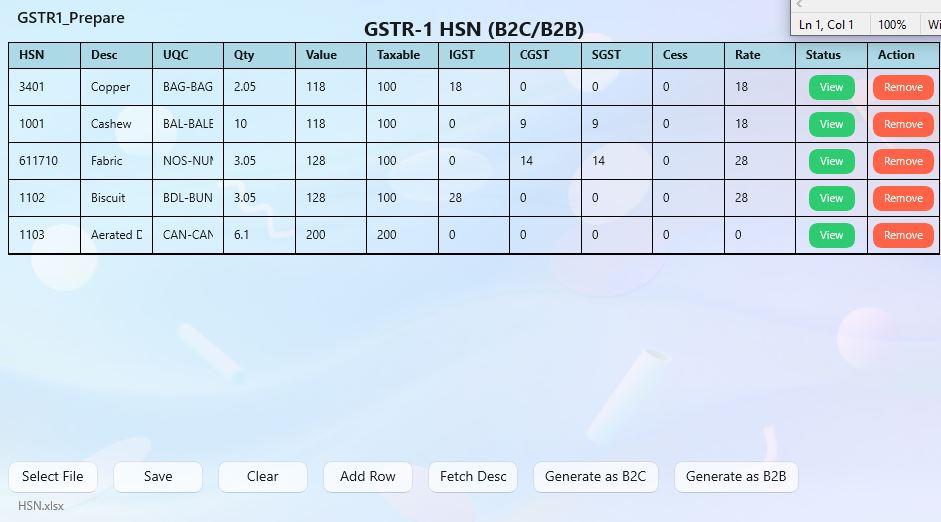
Step 3: Make any changes in field if required, and then generate as B2C or B2B. For GSTR9 Sales or Purchase
Step 4: In next step it will ask GSTIN and period. Type the valid GSTIN and select correct period
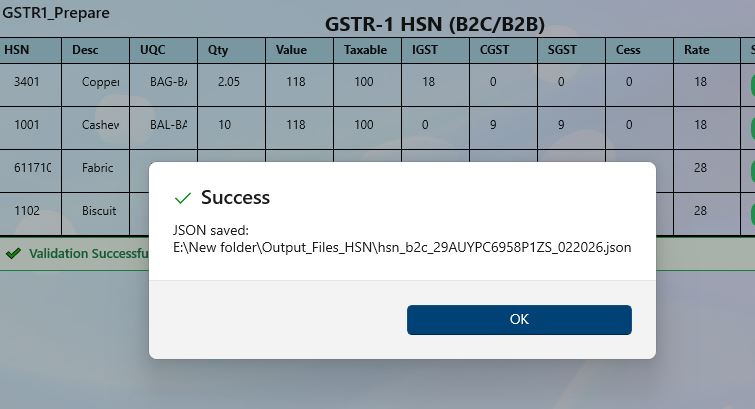
Step 5: If no error it will generate json file to output folder. Else you will be notified with error.
Back to Home